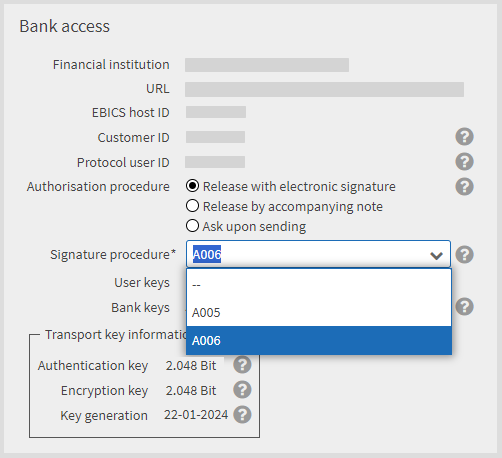
The signature procedure refers to the procedure with which your electronic signature for an order is verified. Currently, in general the signature procedures A005 and A006 are permissible. Your financial institution can either approve one of the two signature procedures or both of them.
If you create a new bank account, the signature procedure is preset by the application according to the specifications of your financial institution.
If you change the signature procedure, you must then reinitialise your bank access (see section Initialising a bank access) or perform a key change (not included in the standard scope of the application, see section Changing the signature and transport keys). The new signature procedure is not active until the reinitialisation or the key change has been successful. Until then, the existing signature procedure remains active.
|
It is strongly recommended that you only change the signature procedure if instructed to do so by your financial institution. |

Your financial institution supports both the signature procedures A005 and A006 for your bank access.
|
1. |
Select , tab Bank accesses. |
||
|
2. |
To change the signature procedure, open the corresponding bank account via double-click in edit mode. |
||
|
3. |
In the tab Details in the mask area Bank access select the signature procedure in the selection list Signature procedure.
|
||
|
|

|
||
|
4. |
Save your input. |